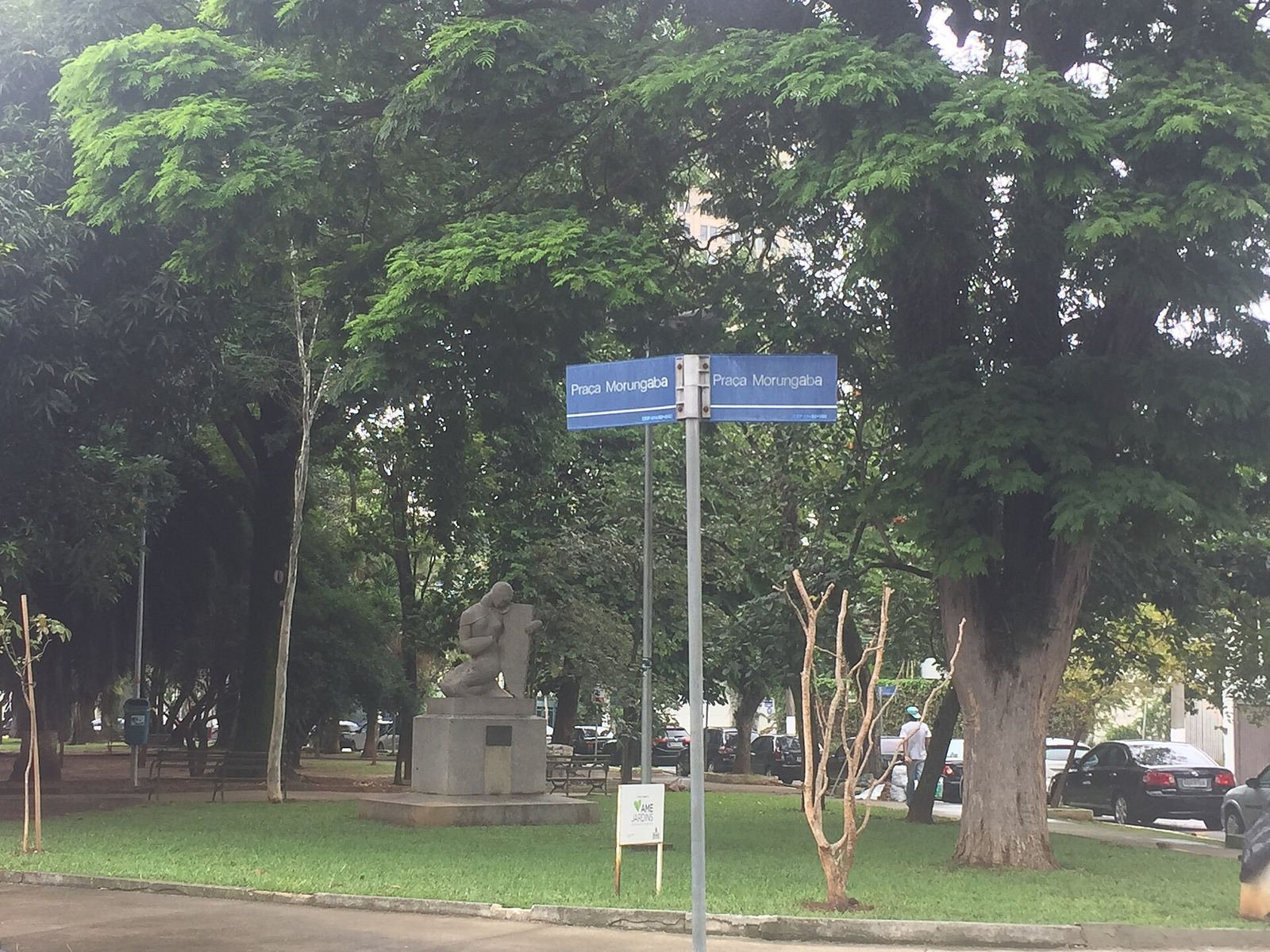
The place name before the publish button
You have a striking street photo and a draft caption naming a neighborhood. Perhaps the image came from an old post or your camera roll without a location note. The name sounds right, but a mistaken caption can travel farther than its correction. Where was this photo taken? Check the scene before publishing.
Upload one image with its useful edges intact. A shop sign, tram line, road marking, ridge, or skyline can separate similar places. The finder proposes places from visible details; it does not know who took the image or whether another caption was accurate.
Answering “where was this photo taken” with evidence
Read suggested places with their coordinates and visual explanations. Which details support a proposed city? Does the photo show a named landmark or a view from nearby? The difference changes what you can safely say in a caption.
Open the candidate on a map and compare roads, buildings, and terrain with the image. If the street layout conflicts, check another candidate or use broader wording. ‘Near the old harbor’ may fit better than an address you cannot establish.
Know which kind of evidence you have
An original JPEG can sometimes answer the question through GPS tags saved by the camera. The free browser reader checks that file's existing coordinates; it works only for a JPEG that actually contains GPS. Where was this photo taken? If the file is a screenshot or a stripped export, use the separate visual search to examine the scene instead.
Put each kind of evidence in your draft notes: an existing GPS tag, a visual candidate, a map comparison, or a place named on a public page. Note which one supports the wording you choose. If the image only supports a broader area, that is a useful finding for the caption too.
Treat a source match as a source to read
Where was this photo taken? The included source check may find matching public images or pages and published camera coordinates. Compare the match with your photo. It may add a place name or context the first estimate missed, especially if the image was cropped.
A matching page may be a repost with a copied caption. Check whether its coordinate refers to the camera or subject, and whether the scene agrees. If no match appears, the best result may remain an area to investigate.
Publish at the level the evidence supports
Where was this photo taken? If the map, clues, and your notes agree on a city, name the city without claiming a particular corner. If they disagree, leave the place out or qualify it. A trustworthy caption distinguishes what you checked from what remains uncertain.
Sign in to reopen your 30 most recent searches while drafting. Compare the image, candidate coordinates, and any completed source check without searching again. With Pro, you can download an individual PDF report or export up to 50 recent completed results as CSV. Keep your chosen wording and reason with the draft.
Choose the searches you need
A one-time $4.99 Search Pack gives you 20 searches valid for 365 days. Pro is $14.99 per month for 100 searches in each billing period, plus PDF reports and CSV exports. Every plan uses the same location search; Pro does not change the estimate.
View plansA few things worth knowing
Can I search a photo from a draft post?
Yes, with a JPG, PNG, or WEBP file up to 8 MB. A screenshot may also contain visual clues if the surroundings remain visible. Where was this photo taken? Compare the suggested area with your draft caption and original notes, then record the clue that supports the wording you choose.
Can a public page answer “where was this picture taken”?
A public match may add a place name or coordinate, but it may be a repost or refer to the subject rather than the camera. Read the page and compare the image and map. An original upload or exact shooting point is not guaranteed.
Can I keep the location evidence with a draft?
Yes. Reopen your 30 most recent searches to review the image, possible places, map, and completed source check. If you need a portable record, Pro offers a PDF report for an individual result and CSV export for up to 50 recent completed results. Add your final caption decision to your own draft notes.